Bring your audio.
Assign your images.
Export your video.
ScenoraEdits splits your voiceover into scenes. Drop one image onto each scene — or generate one with AI using your own API key. Add captions, motion, and overlays. Export as MP4, ready for YouTube. The definitive scene by scene video maker for creators who already have the story.
Deep within the Orion Nebula, Captain Vance detected a frequency that defied known physics...
As the telemetry locked onto coordinates 49-X, the cockpit instruments flickered in synchronized cadence.
Descending toward the obsidian surface, towering crystalline structures emerged from the dust storms.
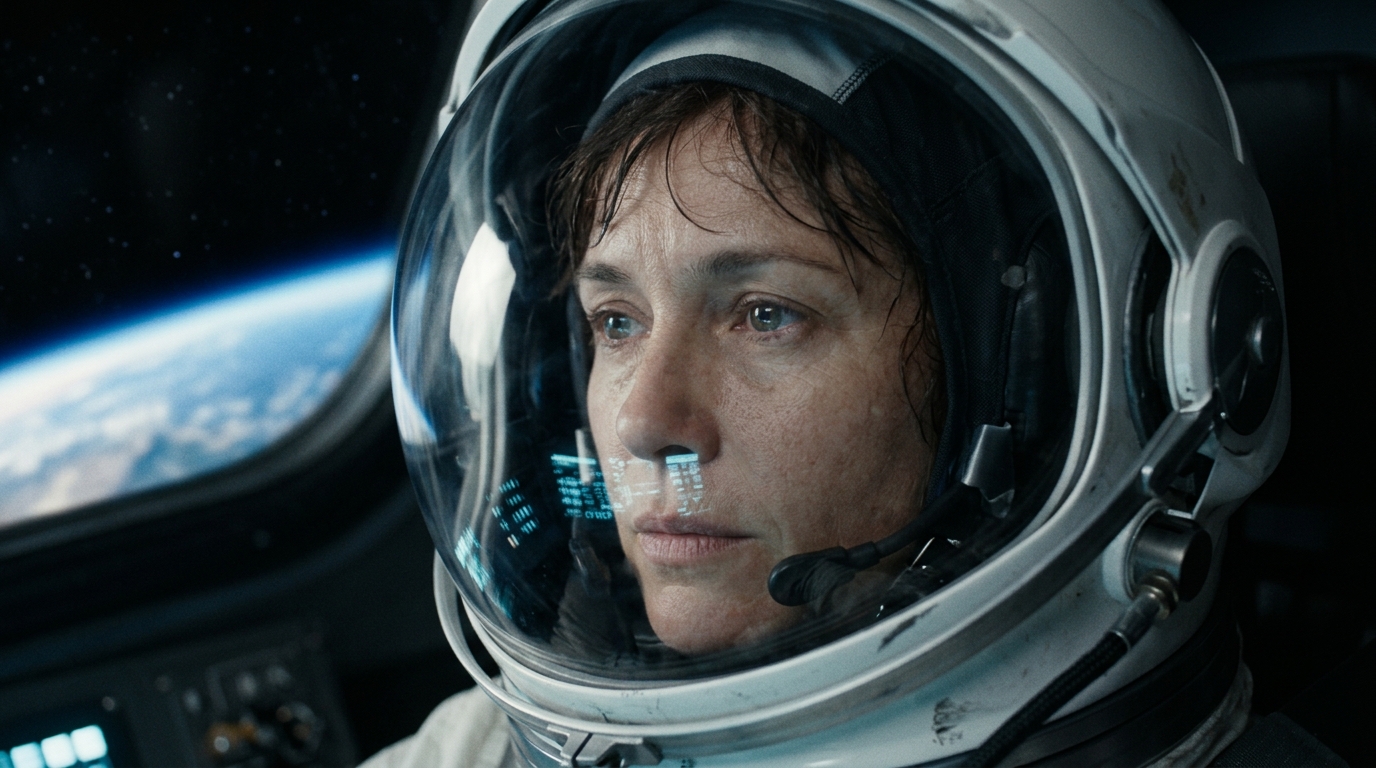
Captain Vance
Consistent Seed #8492041
From audio file to finished video in 5 steps
A structured creative workflow designed specifically for creators who already have narration. You keep full creative control at every single scene.
Upload Audio or Generate Voiceover
Upload your master .mp3, .wav, or .m4a voiceover — or generate clean neural voiceover using Edge-TTS. Sentence timecodes are calculated automatically.
Set Visual Style & Characters
The Video Bible™ locks character faces, costumes, and color palettes so your visuals stay 100% consistent across every single cut.
Assign One Image Per Scene
Every scene gets its own image slot. Drag images from your computer, or generate bespoke frames with AI using free cloud models or your own API key.
Add Motion, Captions & Overlays
Inject cinematic energy with Ken Burns pan/zoom, scene transitions, animated captions (TikTok Bold, Classic), and auto-ducked background music.
Export Your Finished Video
Render broadcast-grade Full HD MP4 with zero timing drift. Download on demand in 1080p, 720p, WebM, audio-only MP3, and animated 6s GIF loop.
Engineered for Complete Scene-by-Scene Control
Unlike black-box AI tools that output random stock footage, ScenoraEdits gives you granular control over every visual cut and sound layer.
Scene-Level Image Control
Every scene has its own dedicated image slot. Upload from your computer, drag an image directly from your desktop, or generate one with AI. Replace any scene anytime without touching the rest of your timeline.
Bring Your Own API Key (BYOK)
Use your own OpenAI (DALL-E 3), Cloudflare, or Flux API keys to generate images per scene at direct developer cost. Free cloud providers (Flux & Pollinations) are also available with zero configuration.
Video Bible™ Consistency
Define your visual style, recurring characters, and key locations once. Every scene generation prompt is automatically prefixed with your visual anchor rules — maintaining consistent faces, costumes, and lighting.
Caption Styles & Animation
Render broadcast-grade burned-in ASS subtitles with customizable font family, colors, shadows, and positioning. Choose between high-retention TikTok Bold, Classic Subtitles, or Minimal Lower Third layouts.
Motion & Transitions
Breathe life into still imagery with Ken Burns dynamic zoom-in, pan-left, and pan-right motions. Connect scenes with crossfades, slides, and fade-to-black transitions previewable in real time.
Multi-Format & Zero-Drift
A single render produces MP4 1080p, 720p HD, WebM, MP3 audio, and a 6-second animated loop GIF. Our multi-pass FFmpeg pipeline guarantees audio-visual synchronization to within <0.05 seconds.
Built for creators who already have the story
You record narration, not video. ScenoraEdits turns that audio into a complete visual YouTube video without a camera or complex editing software.
Faceless YouTube Creators
You produce documentary, history, mystery, or finance videos without showing your face. ScenoraEdits automatically aligns your voiceover with matching scene visuals, kinetic captions, and cinematic motion.
- Continuous character faces
- Automatic sentence timecodes
- 16:9 Full HD broadcast export
Podcast-to-Video Creators
Your audio episodes already tell great stories. Tap into YouTube's massive discovery algorithm by adding topic-specific visual imagery per segment without manually re-cutting raw audio in an NLE.
- Drag-and-drop slide graphics
- Accessible burned-in subtitles
- Audio-only MP3 export included
AI Image Artists
You already generate stunning imagery with Midjourney, Flux, or Stable Diffusion. ScenoraEdits is where those individual stills become an assembled, narrated, motion-rich video project.
- Direct image slot dropzone
- Ken Burns cinematic motion
- Multi-format 9:16 and 16:9
See ScenoraEdits in Action Across Formats
Select a genre below to inspect the actual script lines, prompt parameters, and visual outputs assembled by the ScenoraEdits engine.
The Chronicles of Captain Vance
Multi-scene character continuity across zero-g cockpits, deep space anomalies, and alien terrain with consistent facial likeness and uniform details.
Frequently Asked Questions
Everything you need to know about scene-by-scene video composition with ScenoraEdits.
Start building your video — free
No credit card. No camera. No video editing skills required. Upload your audio and assign your scene images today.