Total Scene-by-Scene Control, Zero Compromises
Generic AI video tools generate random clips with no shot control. Traditional video editors take hours of manual timeline alignment. ScenoraEdits combines automated audio scene segmentation with discrete image assignment and cinematic finishing.
Scene-Level Image Assignment
Every video is split into distinct acoustic scenes based on your narration pauses. Every single scene gives you a dedicated visual canvas that you control completely.
Other tools force random 5-second video loops or generic b-roll. If an image doesn't match the voiceover, you can't replace just that shot without regenerating the whole video.
Every scene has its own discrete image slot. Upload your own PNG/JPG artwork, generate a custom image with AI, or replace any frame in 1 click without affecting neighboring scenes.
- Flexible Media Sources: Upload local PNG/JPG/WebP files, generate with AI per scene, or pick from your shared project library.
- Drag & Drop Reordering: Swap scene sequences instantly; duration and audio timing adjust automatically.
- Word-Level Acoustic Sync: Scene start and end boundaries match speech cadence with sub-frame accuracy.
Bring Your Own API Key (BYOK)
Generate unlimited AI images directly within the Studio using your own provider credentials. You pay only raw provider cost with zero middleman markup.
Traditional AI platforms force expensive monthly subscriptions ($40–$120/mo) and meter generations with arbitrary "credits" that expire if unused.
Enter your own API key for OpenAI (DALL-E 3), Google Gemini (Imagen 3), Cloudflare Workers AI, or Fal.ai. Plus, free built-in models (Pollinations & Flux Schnell) work out of the box with zero key required.
- Client-Isolated Encryption: Your API keys are encrypted with AES-256 and never logged or accessible to anyone else.
- Direct Provider Billing: DALL-E 3 costs ~$0.04/image and Flux costs ~$0.003/image directly on your provider invoices.
- 100% Free Option: No API key? Use Pollinations or upload your own downloaded art for free indefinitely.
Video Bible™ Visual Consistency Engine
Eliminate character face-warping and art style degradation. Video Bible establishes permanent character, setting, and lighting anchors that every generated scene strictly obeys.
In generic AI image prompts, your protagonist's face, clothes, age, and art style change every single shot, ruining viewer immersion in long-form stories.
Stage 2 Video Bible locks your character seeds, wardrobe anchors, physical traits, and cinematic lens rules. All subsequent scene generations automatically inherit this visual DNA.
- 6 Hand-Crafted Art Presets: Cinematic 35mm Film, Dark Fantasy, Cyberpunk Anime, 3D Animation, Vintage Graphic Novel, Oil Masterpiece.
- Character Identity Pinning: Persistent face seeds, wardrobe tokens, and hair color tags applied across wide angles and close-ups.
- Location & Lighting Memory: Atmosphere descriptors (e.g., volumetric rain, neon rim light, amber dusk) keep environments uniform.
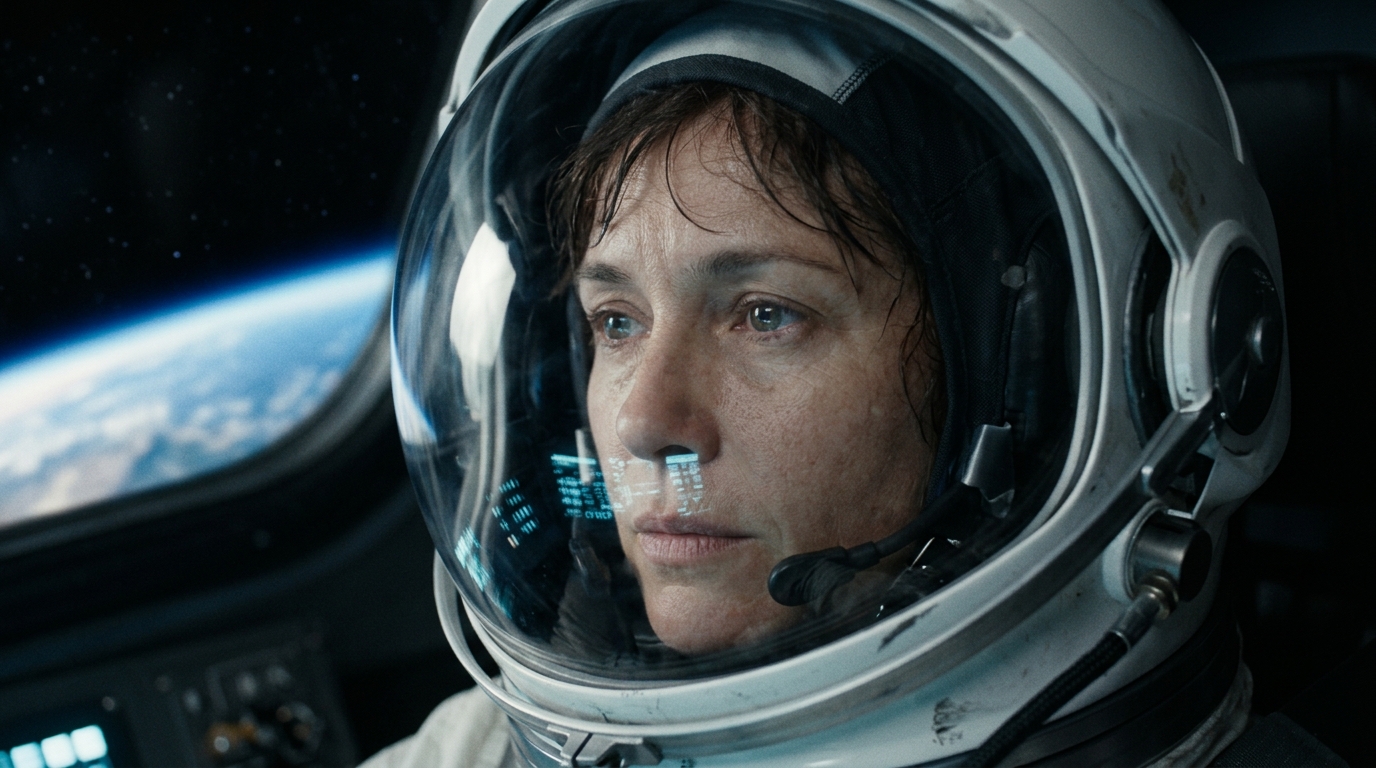
Character Anchor: Elena Croft
✓ 100% Visual Consistency LockedScene 02 (Close-up)Scene 07 (Wide Action)Identical bone structure, EVA helmet design, and color grading preserved across scenes.
Motion, Captions & Audio Ducking
Static slide shows lose viewers. ScenoraEdits injects camera vitality into still images with dynamic Ken Burns motion, fluid transitions, and synchronized kinetic captions.
Adding smooth camera pans, animating subtitles word-by-word, and manually keyframing background music ducking in Premiere Pro takes 30–60 minutes per video.
Apply Ken Burns slow zoom and direction pans in 1 click. Choose between TikTok Bold, Netflix Subtitles, or Minimal Lower Thirds. Audio ducking lowers music by -14dB automatically when speech begins.
- Ken Burns Motion Suite: Smooth Zoom In (1.0x → 1.15x), Zoom Out, Pan Left/Right, and Dynamic Push per scene.
- Kinetic Subtitle Styles: Viral yellow-highlighted TikTok Bold, elegant documentary serif, or classic broadcast subtitles.
- Automated Sidechain Ducking: 50ms smooth attack and 250ms release ensures background tracks never drown narration.
Multi-Format Single-Pass Export
Never re-render a video 4 times for different channels. ScenoraEdits renders your master video alongside lightweight drafts, vertical shorts, standalone podcast audio, and animated GIF teasers.
Exporting separate files for YouTube, TikTok, Spotify podcast audio, and social teasers forces multiple manual renders and format conversions.
Stage 5 generates 5 formats in one job: Full HD 1080p MP4, fast 720p draft, WebM for web embedding, high-bitrate MP3 podcast cut, and 6-second looping GIF teaser.
- 1080p 60fps Broadcast MP4: Encoded with H.264 High Profile and AAC 48kHz stereo, ready for instant YouTube monetization.
- 16:9 Landscape & 9:16 Shorts: 1-click aspect ratio toggling with smart focal re-centering.
- Zero Watermarks & 100% Commercial Rights: You own the master copyright, visuals, and audio stems outright.
Zero-Drift FFmpeg Render Pipeline
Web video renderers are notorious for audio desynchronization on long projects. ScenoraEdits uses a deterministic concat demuxer with sample-level timestamp alignment.
In browser-based canvas renderers, video frame timing drifts away from speech audio over 10+ minute videos, resulting in jarring 1–2 second desyncs.
Our backend FFmpeg pipeline renders each scene clip independently and stitches them with presentation timestamp (PTS) continuity. Verified <0.05s variance on 60-minute renders.
- Concat Demuxer Stream Stitching: Zero generation loss; clip boundaries match exact acoustic speech timestamps.
- Hardware NVENC & CPU Fallback: Renders up to 6x faster than realtime with automated hardware acceleration.
- Background Queue Resiliency: Renders proceed asynchronously. You can safely close your browser tab and return when complete.
Technical Specifications
Comprehensive technical metrics and supported codecs for engineering and production teams.
| Supported Audio Inputs | MP3 (up to 320kbps), WAV (16/24-bit PCM), M4A, FLAC, OGG. Built-in Edge-TTS neural voice synthesis in 40+ languages. |
| Acoustic Transcription Engine | Whisper transcription with word-level phonetic alignment and automated silence/breath segmentation into scenes. |
| Image Engines & BYOK | Pollinations (Free), Flux Schnell, OpenAI DALL-E 3, Google Gemini Imagen 3, Cloudflare Workers AI. AES-256 encrypted vault. |
| Video Bible™ Persistence | Seed pinning, facial proportion vectors, wardrobe anchors, lighting temperature, and persistent negative prompt locks. |
| Timeline Resolution & Frame Rates | Full HD 1080p (1920x1080) Landscape, 1080x1920 Vertical Shorts, 1:1 Square. 24fps, 30fps, 60fps. |
| Audio Ducking Envelope | Configurable -10dB to -18dB background attenuation, 50ms attack curve, 250ms release curve during speech. |
| Export Formats & Delivery | MP4 (H.264 High Profile / AAC 48kHz Stereo), 720p Draft, WebM, 320kbps MP3 podcast cut, 6s GIF teaser, standalone SRT/VTT. |
| Licensing & Ownership | 100% Commercial Copyright ownership granted to creator. Zero watermarks on exported masters. |
Select a Channel Format to See the Toolchain
Inspect how the ScenoraEdits feature set adapts to different content genres and publishing cadences.
The 20-Minute Historical Documentary Workflow
Target: 40 scenes • 2 locked historical characters • Atmospheric ambient score
Acoustic Slicing
Whisper segments 20 minutes of narration into 40 distinct cinematic visual beats.
Video Bible™ Pin
Centurion Marcus and Emperor Augustus locked with permanent costume armor seeds.
Multi-Track Master
Ambient score auto-ducked -14dB beneath narrator voiceover with Ken Burns motion.
Frequently Asked Questions
Everything you need to know about scene editing, BYOK keys, and video export.
Yes, 100%! ScenoraEdits is an audio-to-video composer. You can upload your own custom PNG, JPG, or WebP images to any scene, drag-and-drop your own artwork, or use AI generation only for scenes where you need it.
Ready to Build Your Video Scene-by-Scene?
Upload your audio, drop your images, and export finished 1080p videos in minutes. Free forever to test.